Device Authorization Grant
RFC 8628 · A code is displayed on an input-constrained device and redeemed via real Universal Login on a second screen · No prior session, no MFA dependency, works on any Auth0 plan
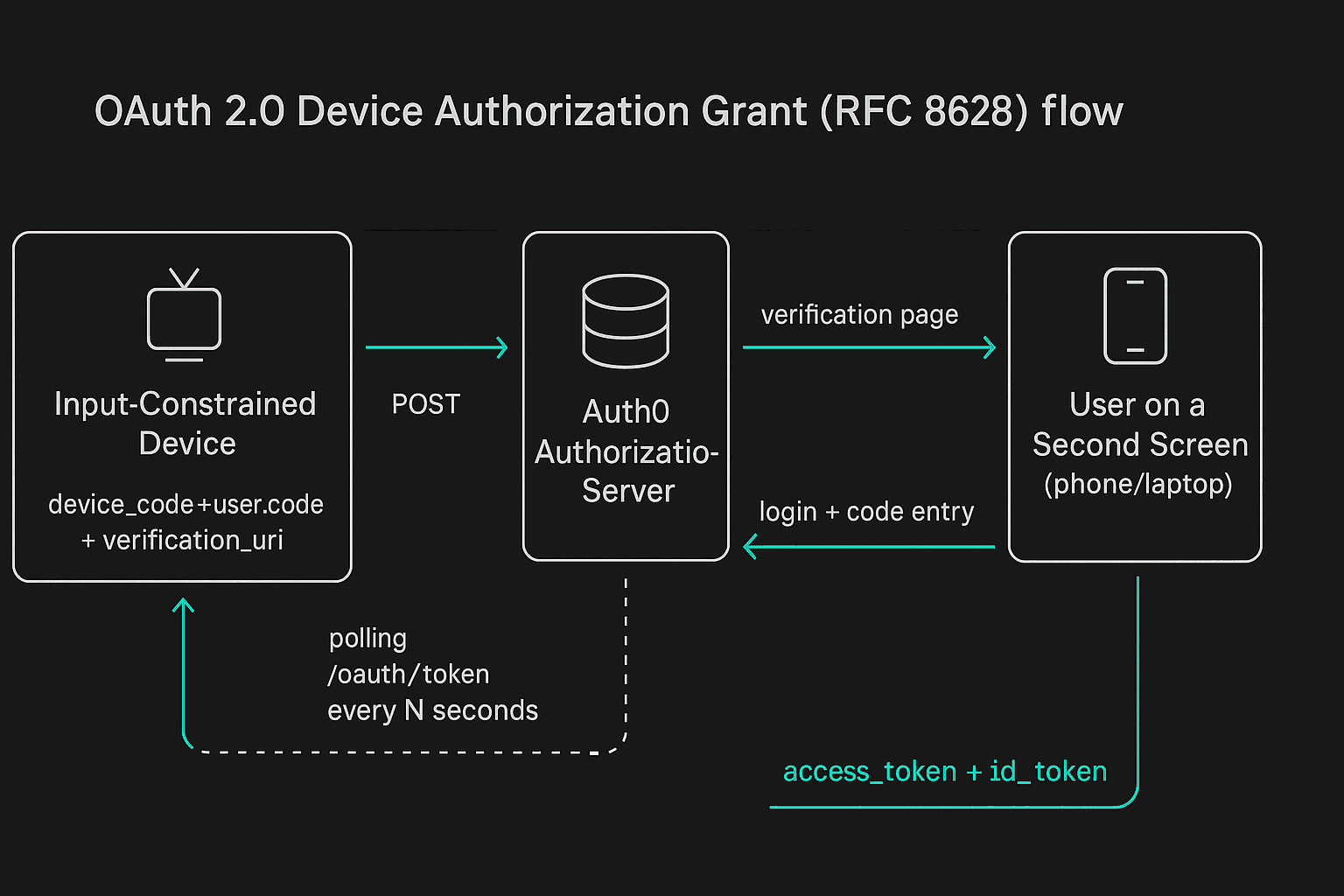
Simulates an input-constrained client (a CLI tool, a smart TV) that has no browser of its own — it requests a code, then waits while you complete login on this or another device.
No session, no identity, until the second screen— unlike every other demo in this suite, the initiating device doesn't know who the user is. Identity is established entirely by a real Universal Login at verification_uri_complete.
Any plan, no MFA required— contrast this with the CIBA demo, which needs an Enterprise plan and a genuinely enrolled Guardian device. Device Code just needs a client configured for the grant.
Public client, no secret— Auth0 requires app_type: "native" for this grant, which is a public client with token_endpoint_auth_method: "none". There is no client secret anywhere in this flow.
Strengths
- Works on any Auth0 plan with no MFA/enrollment dependency — unlike CIBA, there is no Enterprise gate and no Guardian device to provision beforehand.
- The second-screen step is genuine Universal Login, so it inherits whatever policies (MFA, connections, risk rules) already apply to the tenant — nothing is bypassed to make this flow work. Note the scope of that inheritance below.
Risks & Considerations
- Device-code phishing is a real, documented attack against this exact grant: an attacker requests their own device code, then relays the user_code/verification_uri to a victim under some pretext ("verify your account", "IT support needs this"). The victim logs in genuinely and unknowingly authorizes the attacker's session, not their own.
- Adaptive/risk-based policies evaluate the device completing login at verification_uri_complete — the victim's own, legitimate device — not the device that actually requested the code. In a phishing scenario the risk engine has no visibility into the attacker's device or network at all; it only ever sees a plausible, familiar login from the victim's side.
- A user_code space that is too small, or an expiry window that is too long, makes the code guessable/brute-forceable by an attacker within its validity window.
- This is the only demo in this suite where the initiating device has no session and no way to prove who is sitting at it — that absence of identity is inherent to the flow, not a bug, but it means the verification page is the entire trust boundary.
Hardening Checklist
- Keep expires_in short and lean on Auth0's own rate limiting on code entry attempts.
- Make sure the verification page clearly states what is being authorized (client name, requested scope) so a phished user has a real chance to notice something is wrong before approving.
- Monitor for anomalous device-code request volume from a single client — a spike is a plausible signal of an active phishing campaign against this flow.